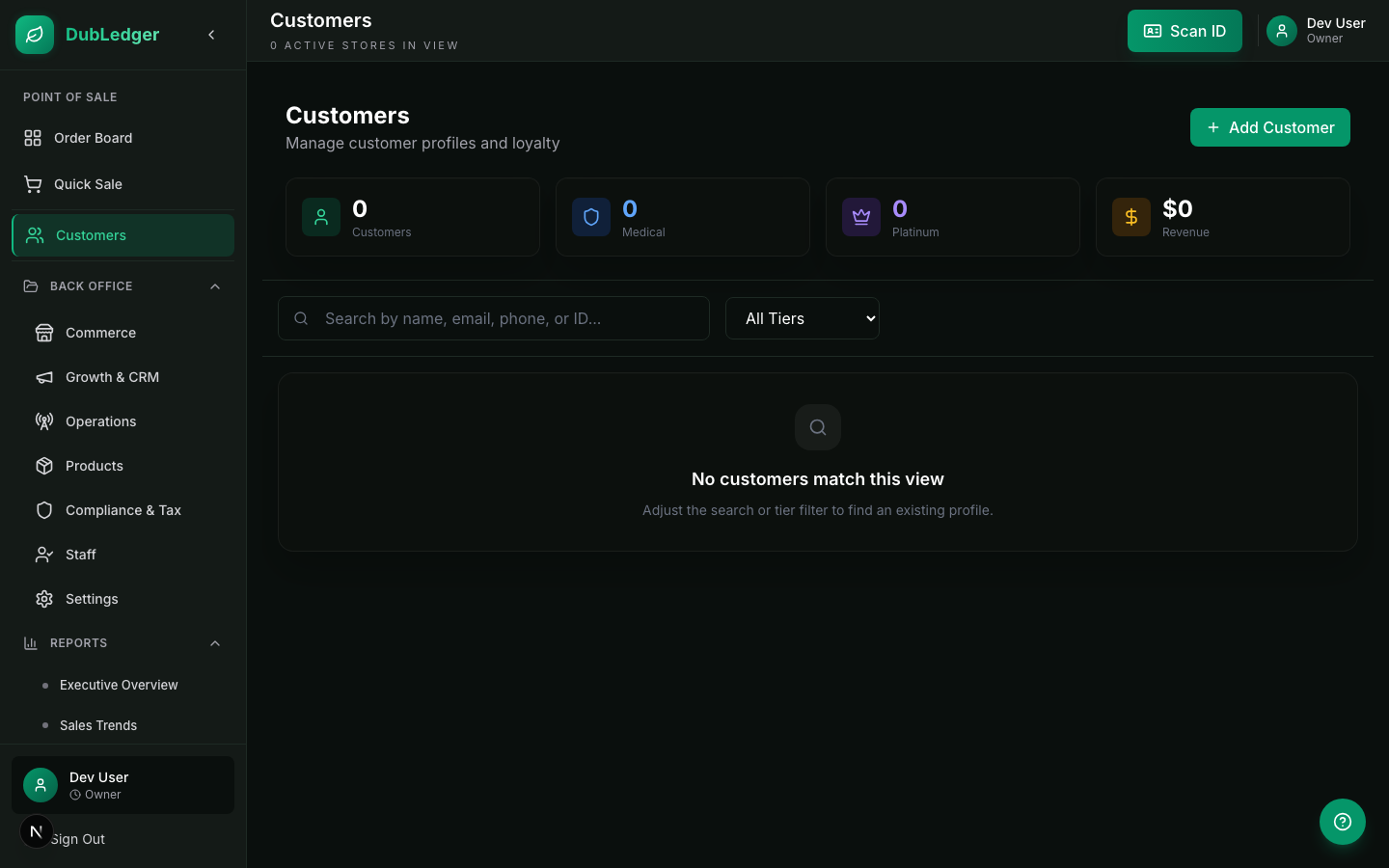
Customer Profiles
DubLedger provides comprehensive customer management to help you understand your customers and build lasting relationships.
#
Creating Customer Profiles
Automatic Profile Creation → When you scan a customer ID, a profile is created automatically. Information extracted includes full name, date of birth, address, ID number, and expiration date.
Manual Profile Creation
1. Go to Customers → Add Customer
2. Enter customer information: first and last name, date of birth, phone number, email address, ID number and type, ID expiration date.
3. For medical patients, add: medical card number, medical card expiration date, physician name (optional).
4. Add preferences: favorite strains, preferred categories, communication preferences.
5. Click Save
Profile Components
Personal Information → Name, date of birth, address, phone and email, ID details (number, type, expiration), medical status (if applicable).
Purchase History → Complete transaction history, total lifetime spend, average basket size, favorite products and categories, visit frequency, last visit date.
Loyalty Status → Current tier (Standard, Silver, Gold, Platinum), loyalty points balance, points earned and redeemed history, tier benefits and expiration dates.
Preferences → Favorite strains (Indica, Sativa, Hybrid), preferred categories (Flower, Edibles, Vapes, etc.), preferred price range, communication preferences (SMS, email, none), marketing opt-in status.
Notes → Internal notes visible only to staff, customer feedback and complaints, special requests or accommodations, medical notes (HIPAA-compliant).
#
Searching Customers
Quick Search → Press Ctrl+D or tap the customer icon in the POS. Type name, phone number, or ID number. Results appear instantly as you type. Tap a result to view the profile.
Advanced Search
1. Go to Customers → Search
2. Use filters: name contains, phone number, ID number, date of birth range, last visit date range, total spend range, loyalty tier.
3. Combine multiple filters for precise searches.
4. Save frequently used searches for quick access.
Customer Lookup During Checkout
1. In the POS, tap the customer area
2. Scan the customer's ID
3. The system finds or creates the profile
4. Shows purchase limits and loyalty status
5. Ready to proceed with the sale
#
Managing Customer Data
Editing Profiles
1. Go to Customers and find the customer
2. Tap Edit
3. Update any information
4. Changes are saved automatically
5. Audit trail records who made the change and when
Merging Duplicates
1. Go to Customers → Merge
2. Select the primary profile (the one to keep)
3. Select the duplicate profile (the one to merge in)
4. Review the merged data
5. Click Confirm Merge
6. The duplicate is archived, not deleted
Deleting Profiles
- Customer profiles can be archived but not deleted (compliance requirement)
- Archiving hides the profile from active searches
- Archived profiles can be restored if needed
- All transaction history is preserved
#
Privacy and Compliance
HIPAA Compliance (Medical Patients) → Medical patient data is encrypted at rest and in transit. Access is logged with user ID and timestamp. Only authorized staff can view medical information. Data retention follows state medical privacy laws. Patients can request access to their data.
Data Retention → Customer data is retained for the period required by state law. Transaction data is retained for 7 years. After the retention period, data is anonymized. Customers can request data deletion (subject to legal requirements).
Marketing Opt-In → Customers must explicitly opt in to marketing communications. Opt-in status is recorded with timestamp. Customers can opt out at any time. Opt-out requests are processed within 24 hours. Marketing messages respect state-specific rules (no targeting minors, no health claims).
Access Controls → Budtenders can view customer names and purchase limits. Managers can view full customer profiles and history. Owners can view all customer data and export reports. Access logs track who viewed what customer data. Unusual access patterns trigger security alerts.
#
Customer Insights
Top Customers Report → Rank customers by total spend. Identify your most valuable customers. Track repeat visit rates. Segment by purchase frequency and value.
Customer Retention → Track customers who haven't visited in 30, 60, or 90 days. Identify at-risk customers before they churn. Measure retention rate over time. Compare retention by customer segment.
Purchase Patterns → Most popular products by customer segment, average basket size trends, category preferences by demographic, seasonal purchasing patterns, time-of-day and day-of-week trends.
Loyalty Program Performance → Enrollment rate, points earned and redeemed, tier distribution, impact on customer lifetime value, ROI of loyalty program.