Products Hub Overview
Understanding the product management interface.
Products Hub Overview
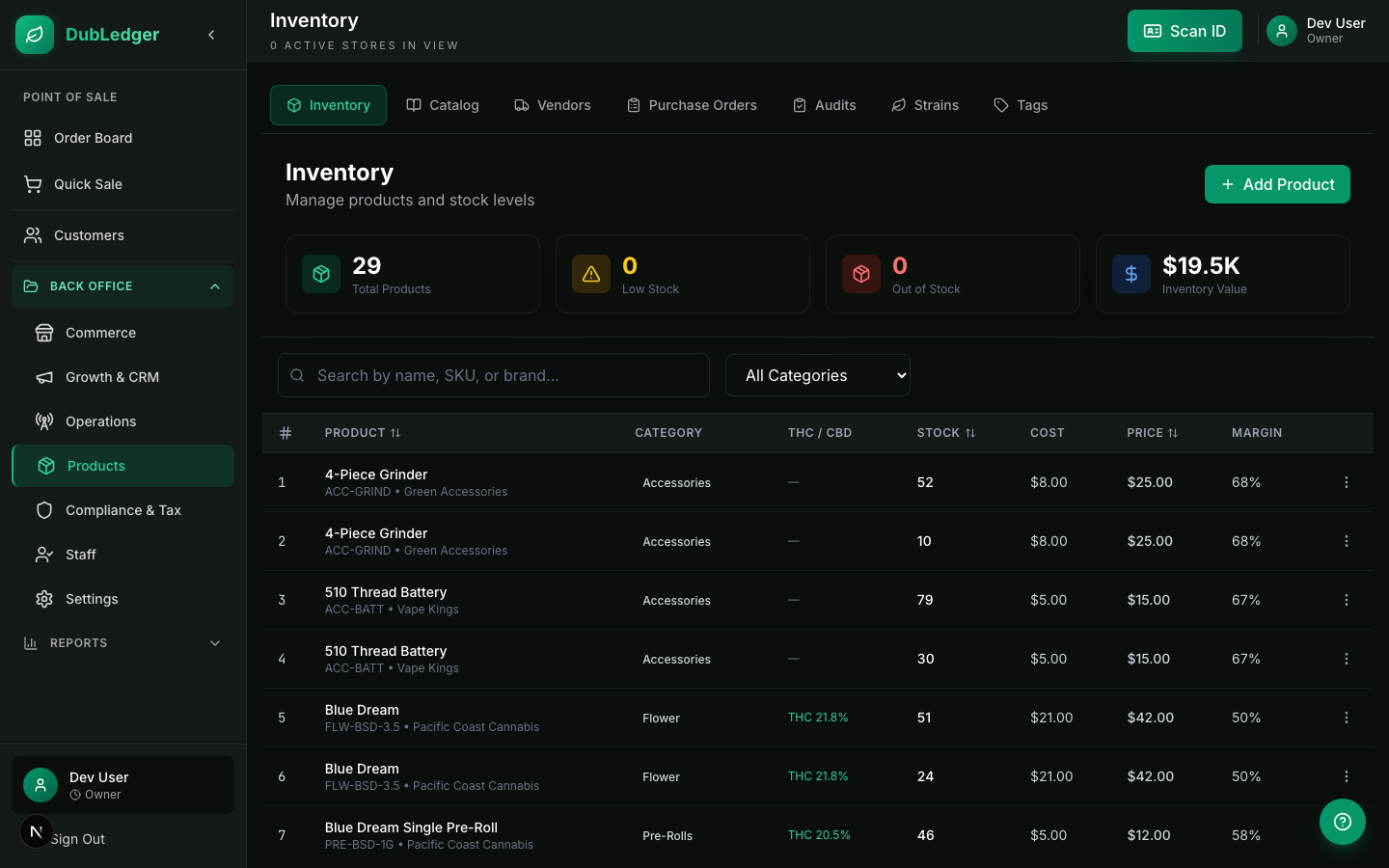
The Products Hub is the central location for product and inventory management.
Tabs
- Inventory: location-specific stock items with live quantities.
- Catalog: reusable product templates that can be activated across locations.
- Strains: strain types for filtering and merchandising.
- Tags: product tags for filtering and organization.
Inventory vs Catalog
Inventory items are specific to a location. They have:
- A quantity at that location.
- A specific batch number.
- A specific cost and retail price.
Catalog products are templates. They store:
- Product name, brand, category.
- Default THC/CBD values.
- Description and image.
- Default tags.
When you activate a catalog product at a location, it creates an inventory item with the catalog's default values. This lets you manage product information once and deploy it across multiple locations.
Workflow example
- Create a catalog product: "Blue Dream Flower by Green Valley Farms".
- Activate the catalog product at Location A.
- Enter the quantity, batch number, cost, and retail price for Location A.
- Activate the same catalog product at Location B with its own quantities and pricing.
This keeps product information consistent while allowing location-specific inventory data.