Storefront Overview
Understanding your public online menu and ordering system.
Storefront Overview
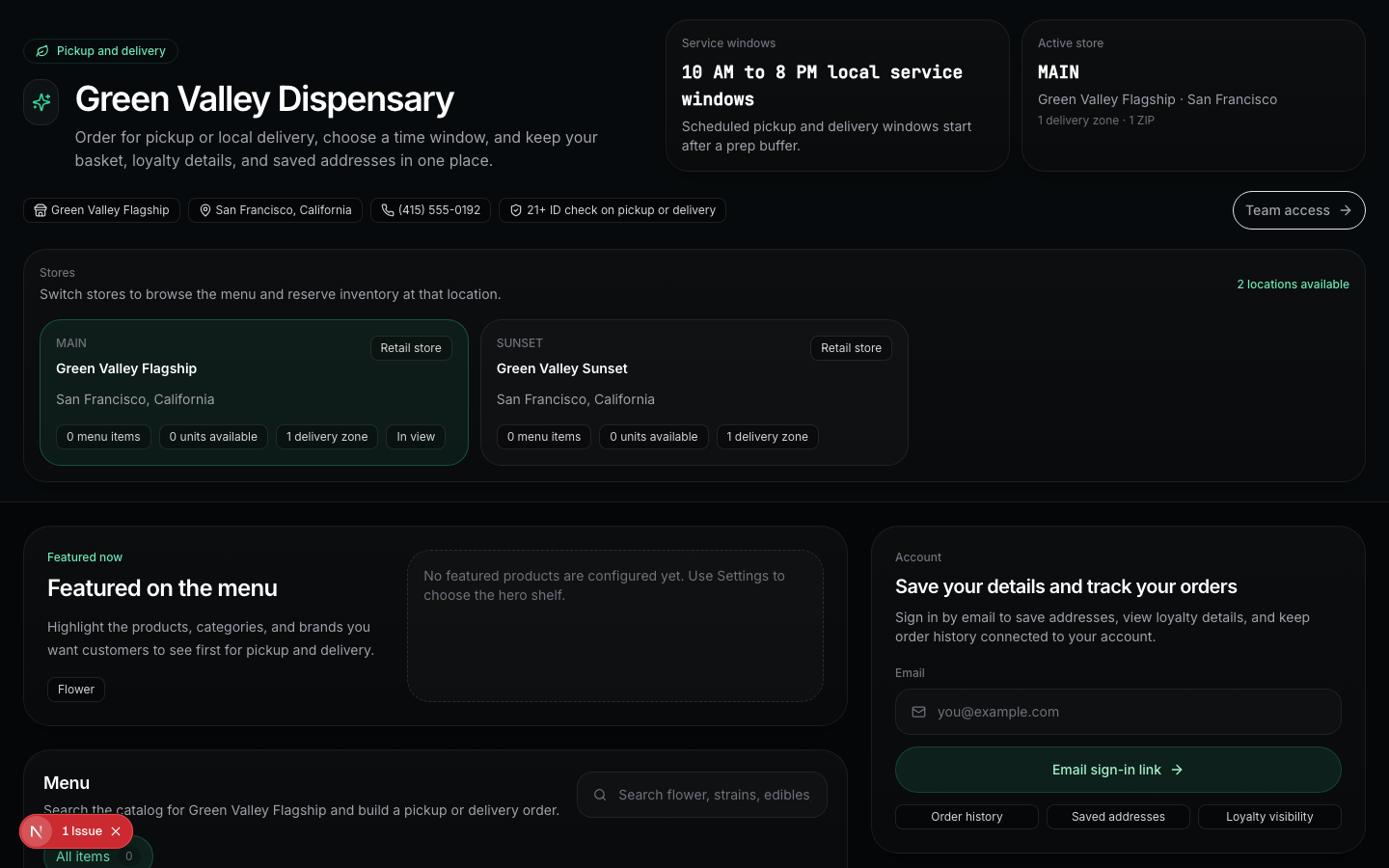
DubLedger includes a built-in online storefront that lets customers browse your menu and place orders for pickup or delivery.
What customers see
Your public storefront is accessible at a URL such as /menu/your-store. It includes:
- Product browsing: customers can filter by category, search by name, and sort by featured items, alphabet, price, or THC percentage.
- Product details: each product shows name, brand, THC/CBD percentages, price, and description.
- Cart management: customers can add items, adjust quantities, and see real-time totals including taxes.
- Fulfillment selection: choose between pickup or delivery, based on your configuration.
- Checkout: enter customer information and place the order.
Storefront configuration
Configure your storefront via Settings → Storefront Merchandising:
Hero section
- Custom title and body text displayed at the top of the menu.
- Use this for announcements, promotions, or brand messaging.
Featured products
- Highlight up to 12 products at the top of the menu.
- Great for promoting new arrivals or bestsellers.
Featured brands
- Showcase up to 8 brands.
- Helps customers find their preferred brands quickly.
Sort defaults
- Set the default sort order for products (featured, alphabetical, price, THC).
Collection shelves
- Create up to 3 curated product collections.
- Each shelf has a title, description, featured category, specific products, and brand names.
- Example: "Staff Picks" shelf with curated recommendations.
Customer experience
- Categories are displayed as filterable tabs.
- Products show as cards with image, name, price, and key details.
- Out-of-stock products are marked and cannot be added to cart.
- The cart shows itemized pricing, taxes, and any delivery fees.